作者: HuanCheng Bai

  • WX Subscribe 微信支付付费订阅 使用说明

    WX Subscribe  微信支付付费订阅 banner

    为你的 WordPress 添加付费订阅功能,支付网关对接的 Payjs,支持个人用户注册。

    资源链接

    基本信息

    • 版本:1.2.1
    • 作者:Bestony
    • 要求 WordPress:4.6
    • 要求 PHP:7.0.0
    • 兼容至 WordPress:7.1
    • 许可协议:GPLv2

    功能说明

    微信支付订阅插件支持 WordPress 的付费阅读。站点用户支付后可以查看付费内容。 插件支持部分内容隐藏和全文内容隐藏,并提供了短代码来快速进行内容编辑。

    • 使用[subscribe][/subscribe]来包裹你需要隐藏的内容,这些内容就只能被付费用户所看到。

    使用插件前,需要前往 Payjs 注册并开通商户(支持**个人用户注册**)

    项目开源地址:https://github.com/WPStoreApp/wx-subscribe

    安装方法

    1. 从 WordPress 后台的「插件」-「安装插件」页面,上传插件。
    2. 上传完成后,点击启用,并进入左侧菜单栏中的「微信订阅」-「插件配置」
    3. 在插件配置中填写你的 Payjs 配置信息即可开始使用。
    4. 具体内容可以查看插件后台的「帮助中心栏目」

    常见问题

    微信支付付费订阅插件 支持个人站长么?

    微信支付付费订阅采用的是支持个人用户注册的 Payjs ,所以个人用户也支持本插件。

    更新日志

    1.0

    • 初始化项目

    1.2

    • 加入帮助中心

    1.2.1

    • 修复插件未配置时的 PHP 8 Warning

    截图

    WX Subscribe  微信支付付费订阅 screenshot
    订阅文章全文隐藏
    WX Subscribe  微信支付付费订阅 screenshot
    订阅文章部分隐藏
    WX Subscribe  微信支付付费订阅 screenshot
    订阅文章全文隐藏设置
    WX Subscribe  微信支付付费订阅 screenshot
    订阅后台订单系统
    WX Subscribe  微信支付付费订阅 screenshot
    订阅文章后台配置

    资源链接

  • Notifications For BearyChat 使用说明

    A BearyChat Notification plugin, can send WordPress Event to your Bearychat Channel.

    资源链接

    基本信息

    • 版本:0.1.1
    • 作者:Bestony
    • 要求 WordPress:4.9.8
    • 要求 PHP:7.1
    • 兼容至 WordPress:7.1
    • 许可协议:GPLv3

    功能说明

    A Plugin can send some event information from wordpress to bearychat . Simple Settings and Powerful Message!

    BearyChat is a team communication service. It utilizes chatbots and integrates with third-party services to achieve high efficiency.

    Support Event List:

    • WordPress: WordPress Update Available
    • User: User Register
    • User: User Administrator Login
    • User: Administrator Fail Login
    • Post: Publish
    • Post: Update
    • Post: Pending
    • Post: Update
    • Post: Move to Trash
    • Page: Publish
    • Page: Update
    • Page: Pending
    • Page: Update
    • Page: Move to Trash
    • Comment: New Comment
    • Woocommerce: New Order
    • Woocommerce: New Order Customer Note
    • Woocommerce: Order Status: Completed
    • Woocommerce: Order Status: Pending
    • Woocommerce: Order Status: Processing
    • Woocommerce: Order Status: On Hold
    • Woocommerce: Order Status: Cancelled
    • Woocommerce: Order Status: Refunded
    • Woocommerce: Order Status: Failed
    • Woocommerce: Product Low Stock
    • Woocommerce: Product Out of Stock

    安装方法

    1. Upload the plugin files to the /wp-content/plugins/bearychat-notification directory, or install the plugin through the WordPress plugins screen directly.
    2. Activate the plugin through the 'Plugins' screen in WordPress
    3. Use the Settings->BearyChat Notification screen to configure the plugin

    常见问题

    Is BearyChat Free?

    Just Like Slack ,free For Most People. If you need ,paid for Upgrade.

    更新日志

    0.1.1

    Fix PHP 8 warnings.

    0.1

    Init Plugin.


    资源链接

  • WooCommerce ERC20 Payment Gateway 使用说明

    A WooCommerce ERC20 Token Payment Gateway

    资源链接

    基本信息

    • 版本:0.0.7
    • 作者:inKerk Blockchain Inc.
    • 要求 WordPress:4.9.8
    • 要求 PHP:7.0
    • 兼容至 WordPress:7.1
    • 许可协议:Apache License

    功能说明

    This plugin help you add ERC20 Token Payment Gateway.

    安装方法

    1. donwload plugin
    2. install plugin
    3. settings some options

    常见问题

    A: you can get it at etherscan.io

    1. how can i got my contract address?

    资源链接

  • WooCommerce Customize ERC20 Currency 使用说明

    A Plugin can add a new Currency for ERC20 Support.

    资源链接

    基本信息

    • 版本:0.0.4
    • 作者:inKerk Blockchain Inc.
    • 要求 WordPress:4.9.8
    • 要求 PHP:7.0
    • 兼容至 WordPress:7.1
    • 许可协议:GPLv3

    功能说明

    This plugin will add new Custom Currency to help you change your web site from a normal shop to a Bitcoin (ERC20) Shop.

    安装方法

    1. download Plugin
    2. install plugin
    3. Set your own currency at options.

    常见问题

    A: You must change currency at WooCommerce Settings

    1. How to change currency

    升级提示

    Please reset your currency at Options


    资源链接

  • Simple Plyr 使用说明

    A Simple Plyr Video Player Plugin, You can use shortcode [plyr] to add a video.

    资源链接

    基本信息

    • 版本:0.0.1
    • 作者:Bestony
    • 要求 WordPress:4.6.0
    • 要求 PHP:5.5
    • 兼容至 WordPress:7.1
    • 许可协议:GPL-2.0+

    功能说明

    A Simple Plyr Video Player Plugin, You can use shortcode [plyr] to add a video.

    Now, Support paramter url and poster

    安装方法

    1. Download The Plugin
    2. Upload the Plugin
    3. Active the plugin

    资源链接

  • Pay to View All 使用说明

    这是一款付费阅读插件,可以为你的文章设置费用,每个用户都需要付费阅读你的文章。

    资源链接

    基本信息

    • 版本:0.0.1
    • 作者:Bestony
    • 要求 WordPress:4.6
    • 兼容至 WordPress:7.1
    • 许可协议:GPLv2 or later

    功能说明

    这是一款付费阅读插件,可以为你的文章设置费用,每个用户都需要付费阅读你的文章。

    这个插件依赖于 WordPress 自身的用户需要,使用时需要开启允许所有人注册站点的功能。

    插件的支付网关为 payjs.cn ,你需要注册该站点以获取设置时所需要的密码。

    安装方法

    1. upload the plugin to wp-content/plugins/pay-to-view-all,or install the plugin through the WordPress plugins screen directly.
    2. Activate the plugin through the 'Plugins' screen in WordPress
    3. Use the Settings->付费阅读设置 screen to configure the plugin
    4. Set All user can register your website.

    常见问题

    为什么无法生成二维码

    确保你的插件设置了正确的参数

    更新日志

    0.0.1

    • 初始化插件

    资源链接

  • Notifications For ServerChan 使用说明

    A ServerChan Notification plugin, can send WordPress Event to your WeChat.

    基本信息

    • 版本:0.1.1
    • 作者:Bestony
    • 要求 WordPress:4.9.8
    • 要求 PHP:7.1
    • 兼容至 WordPress:7.1
    • 许可协议:GPLv3

    功能说明

    A Plugin can send some event information from wordpress to WeChat. Simple Settings and Powerful Message!

    ServerChan is a notification tools base on WeChat , see More details at http://sc.ftqq.com/

    安装方法

    1. Upload the plugin files to the /wp-content/plugins/notifications-for-serverchan directory, or install the plugin through the WordPress plugins screen directly.
    2. Activate the plugin through the 'Plugins' screen in WordPress
    3. Use the Settings->Notification for ServerChan screen to configure the plugin

    常见问题

    Is ServerChan Free?

    ServerChan is Free for most people. For More details at http://sc.ftqq.com/.

    更新日志

    0.1.1

    Fix PHP 8 warnings.

    0.1

    Init Plugin.


  • Notifications For Pushbear 使用说明

    A Pushbear Notification plugin, can send WordPress Event to your WeChat User Group.

    基本信息

    • 版本:0.1.1
    • 作者:Bestony
    • 要求 WordPress:4.9.8
    • 要求 PHP:7.1
    • 兼容至 WordPress:7.1
    • 许可协议:GPLv3

    功能说明

    A Plugin can send some event information from wordpress to WeChat User Group.

    Pushbear is a WeChat User Group Tools For Notification, More Details at https://pushbear.ftqq.com/

    安装方法

    1. Upload the plugin files to the /wp-content/plugins/notifications-for-pushbear directory, or install the plugin through the WordPress plugins screen directly.
    2. Activate the plugin through the 'Plugins' screen in WordPress
    3. Use the Settings->Notification for Pushbear screen to configure the plugin

    常见问题

    Is Pushbear Free?

    Pushbear is Free for most people. For More details at https://pushbear.ftqq.com/.

    更新日志

    0.1.1

    Fix PHP 8 warnings.

    0.1

    Init Plugin.


  • LinkShare 使用说明

    LinkShare banner

    use shortcode [linkshare][/linkshare] to show your website share on pages, posts or widgets.

    资源链接

    基本信息

    • 版本:0.0.6
    • 作者:Bestony
    • 要求 WordPress:4.7
    • 兼容至 WordPress:7.1
    • 许可协议:GPL2

    功能说明

    This plugin will support a new shortcode [linkshare][/linkshare] and new PostType **LinkShare** ,You can use these to share link to your friends.

    • you will can see a Link at your Admin Menu, then You can use this link to add New Share.
    • Click 'Add New',And Input Share title, Share Comment, Share URL,And Submit.
    • Create A new Page with content [linkshare][/linkshare].
    • View the page.

    安装方法

    1. Download Plugin Zip File
    2. Upload to Your WordPress
    3. create a new page with content : [linkshare][/linkshare]

    常见问题

    Do you will support Other Languages

    I only can support Chinese and English.For Other Language, You Can Join the translator Team to Add Your Language.

    How to Style My List

    Generate List is ul list. The outer ul with class linkshare-list, the inner li with class linkshare-item,the a link with class linkshare-link. You can add your style into your theme style.css

    更新日志

    0.0.6

    1. Change Language to English for Internationalize.
    2. Add zh_CN language.

    0.0.4

    1. update esc_url function.

    0.0.3

    1. use esc_url for input.

    0.0.2

    1. sanitize, escape, and validate POST calls.

    0.0.1

    1. compete short code.
    2. compete post type.
    3. compete submit meta box.

    截图

    LinkShare screenshot
    LinkShare screenshot
    LinkShare screenshot

    资源链接

  • Insert Update Time 使用说明

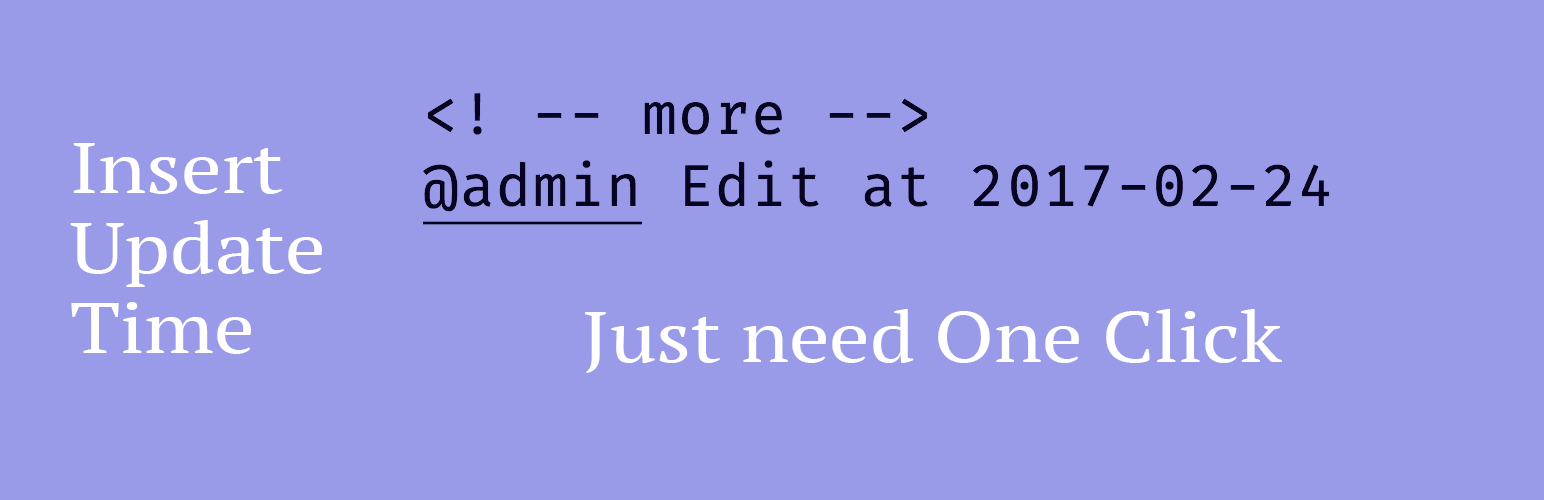
    Insert Update Time banner

    You can get a New Button On your TinyMCE Editor to add Your Update Signature in your post or page.

    资源链接

    基本信息

    • 版本:0.0.2
    • 作者:Bestony
    • 要求 WordPress:4.6
    • 兼容至 WordPress:7.1
    • 许可协议:GPLv2 or later

    功能说明

    You can get a New Button On your TinyMCE Editor to add Your Update Signature in your post or page.

    Plugin Support

    • TinyMCE Support
    • QuickTag Support

    安装方法

    1. Upload the plugin files to the /wp-content/plugins/insert-update-time directory, or install the plugin through the WordPress plugins screen directly.
    2. Activate the plugin through the 'Plugins' screen in WordPress

    常见问题

    How To Custom Time Tag Template

    I will add template support later. Now you can edit Line 107 at insert-update-time.php and Line 15 at insert-update-time.js to update template.

    更新日志

    0.0.2

    • Fix a bug about time

    0.0.1

    • Init

    升级提示

    None

    截图

    Insert Update Time screenshot
    Insert Update Time screenshot
    Insert Update Time screenshot

    资源链接